

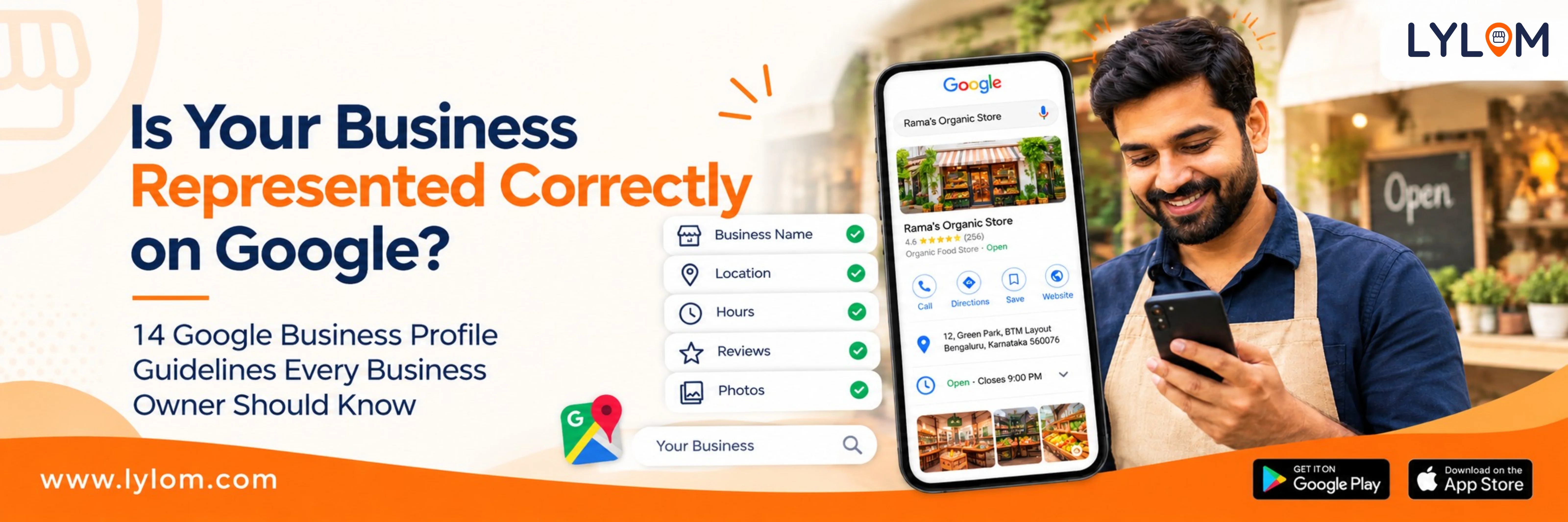
When customers search for a business on Google, they may see its business name, location, phone number, hours, photos, services, reviews, and other important information.
For many local businesses, this is one of the first places potential customers interact with their brand.
That makes it important to ensure that your Google Business Profile accurately represents your real business.
Google has specific guidelines for businesses using Google Business Profile. Following them can help you keep your business information accurate, provide a better customer experience, and avoid common profile issues.
In this guide, we'll cover the important guidelines every business owner should know.
What Is a Google Business Profile?
Google Business Profile is a free Google tool that allows eligible businesses to manage how their business information appears on Google Search and Google Maps.
Your profile can include information such as:
For many local businesses, this is one of the first places potential customers interact with their brand.
That makes it important to ensure that your Google Business Profile accurately represents your real business.
Google has specific guidelines for businesses using Google Business Profile. Following them can help you keep your business information accurate, provide a better customer experience, and avoid common profile issues.
In this guide, we'll cover the important guidelines every business owner should know.
What Is a Google Business Profile?
Google Business Profile is a free Google tool that allows eligible businesses to manage how their business information appears on Google Search and Google Maps.
Your profile can include information such as:
- Business name
- Business address or service area
- Phone number & Website
- Business hours
- Business category
- Photos and videos
- Services
- Customer reviews
- Business updates and posts
1. Use Your Real Business Name
Your Google Business Profile name should match the name your business uses in the real world.
For example, if your actual business name is:
Sharma Dental Clinic
Sharma Dental Clinic
avoid adding unnecessary keywords such as:
Sharma Dental Clinic | Best Dentist in Delhi | Dental Implants
Sharma Dental Clinic | Best Dentist in Delhi | Dental Implants
Your business name is not a place to add keywords or promotional messages. Instead, use the appropriate sections of your profile to describe your services and business.
Remember: Your business name should represent your business, not the keywords you want to rank for.
2. Provide an Accurate Business Address
If customers visit your business location, make sure the address on your Business Profile is accurate.
Your address should represent the actual location where your business operates.
Check details such as:
- Building number
- Street
- Floor or unit number
- Correct location on Google Maps
If your business travels to customers instead of serving them at a storefront, you may need to use a service-area Business Profile.
For example, plumbers, electricians, cleaning services, and other service-area businesses may serve customers at their locations rather than at a customer-facing storefront.
3. Choose the Right Business Category
Your business category helps Google understand what your business is. Choose the category that most accurately represents your primary business.
For example:
- Restaurant → Restaurant
- Dental clinic → Dentist or relevant dental category
- Salon → Hair salon or relevant salon category
- Gym → Gym or appropriate fitness category
Don't choose categories simply because you think they may bring more searches. Your category should describe what your business actually is.
A simple way to think about it: “This business IS a ______.” Choose a category that naturally completes that sentence.
4. Keep Your Business Hours Updated
Business hours tell customers when they can expect your business to be open.
Make sure your regular hours are accurate and update special hours when your business schedule changes.
Pay attention to:
- Public holidays
- Festivals
- Temporary closures
- Seasonal changes
- Special events
Imagine a customer searches for your business, sees that you're open, and travels to your location only to find the business closed. Keeping your hours updated helps avoid situations like this.
5. Use the Correct Phone Number and Website
Your Business Profile should provide customers with genuine ways to contact and learn about your business.
Make sure your:
- Phone number connects customers to the right business.
- Website accurately represents your business.
- Business information corresponds to the actual location and services you provide.
Before publishing or updating your profile, double-check these details. Small errors in contact information can result in missed calls, confused customers, or lost enquiries.
6. Write a Useful Business Description
Your business description gives customers an opportunity to understand what your business offers.
Use it to explain:
- What your business does
- Your main products or services
- Who you serve
- What customers can expect
Avoid turning the description into a collection of keywords or promotional messages.
Instead of: BEST DENTIST IN DELHI!!! 50% OFF!!! CALL NOW!!!
Use something informative: ABC Dental Clinic provides general and cosmetic dental care for individuals and families. Our services include preventive care, teeth cleaning, restorative treatments, and cosmetic dentistry.
The goal is simple: Help customers understand your business.
7. Add Relevant Photos and Videos
Customers want to see what a business actually looks like before visiting or contacting it.
Depending on your business, you can add:
- Exterior and Interior photos
- Products and Services
- Team photos and Work samples
- Facilities and Videos
For example, a restaurant can showcase its dining area and food, while a salon can showcase its interiors, services, and work.
Use genuine visuals that accurately represent your business. Your Google Business Profile should give potential customers a realistic idea of what they can expect.
8. Keep Your Services and Business Information Accurate
If your business provides multiple services, make sure the services listed on your profile are accurate and relevant.
For example, a salon might list:
- Haircut
- Hair coloring
- Hair spa
- Facial
- Bridal makeup
A dental clinic might list:
- Dental cleaning
- Root canal treatment
- Dental implants
- Orthodontic treatment
Keeping your services updated makes it easier for potential customers to understand whether your business can meet their needs.
9. Manage Customer Reviews Honestly
Reviews are an important part of a Business Profile. They give potential customers an idea of other people's experiences with your business.
You can encourage genuine customers to share their experiences and respond professionally to their feedback.
However, reviews should always represent genuine customer experiences. Avoid practices such as:
- Buying reviews
- Creating fake reviews
- Offering incentives in exchange for reviews
- Asking customers to change reviews simply to improve your rating
Instead, follow a simple approach: Ask → Receive → Respond → Learn. Encourage genuine feedback, respond professionally, and pay attention to recurring feedback that can help improve your customer experience.
10. Avoid Creating Duplicate Profiles
In general, businesses should avoid creating multiple Business Profiles for the same business location.
Duplicate profiles can create confusion and may affect how your business information appears across Google Search and Maps.
If your business genuinely operates from multiple eligible locations, each location can be represented according to Google's guidelines. For businesses with multiple branches, make sure each location has accurate information.
11. Keep Your Business Information Consistent
Your Google Business Profile is only one part of your online presence.
Try to keep important business information consistent across:
- Your website
- Google Business Profile
- Social media
- Business directories
- Other online listings
Pay particular attention to your: Business name + Address + Phone number + Website.
If customers find different information on different platforms, it can create confusion.
12. Don't Add Keywords Where They Don't Belong
Adding keywords everywhere doesn't automatically improve your Google Business Profile.
For example, don't change your actual business name to: Rahul Salon Best Hair Salon in Bangalore if the real business name is simply: Rahul Salon.
Use the appropriate sections of your profile to describe your services and business. The goal isn't keyword stuffing. The goal is accurate and useful information.
13. Keep Your Profile Updated
Creating your Business Profile once and forgetting about it can leave customers looking at outdated information.
Review your profile regularly and check:
- Business name and Address
- Phone number and Website
- Business hours and Special hours
- Category and Services
- Photos, Description, and Reviews
- Business updates
Whenever something changes in your business, check whether the same information needs to be updated on your Google Business Profile.
14. Follow Google's Business Profile Policies
Everything you publish through your Business Profile should follow Google's applicable policies.
This includes:
- Business information
- Photos and Videos
- Posts
- Reviews
- Business description and other profile content
Policy violations can result in content restrictions or, depending on the situation, suspension of a Business Profile.
When managing your profile, focus on four things: Accuracy. Relevance. Transparency. Genuine information.
Google Business Profile Checklist for Business Owners
Before considering your profile complete, run through this quick checklist:
- Business Name: Matches your real-world business name
- Address: Accurate business location
- Service Area: Correct areas you actually serve
- Phone: Correct business number
- Website: Represents your actual business
- Category: Relevant and accurate
- Hours: Current business hours
- Special Hours: Updated when required
- Description: Useful and business-focused
- Services: Accurate and relevant
- Photos: Genuine and representative
- Reviews: Genuine customer feedback
- Review Responses: Professional and appropriate
- Duplicate Profiles: No unnecessary duplicates
- Overall Information: Accurate and up to date
How Lylom Helps You Manage Your Google Business Profile
Managing your Google Business Profile isn't just about creating a listing and leaving it there. Your profile needs regular attention from checking your information and services to managing reviews, monitoring performance, and keeping your business presence updated.
Lylom helps businesses manage important Google Business Profile activities from one place. With Lylom, businesses can work on:
- Google Business Profile management
- Profile audits and Profile tracking
- Review management (including AI-assisted review responses)
- Business posts and updates
- Services, attributes, photos, and business information
- Performance monitoring and Competitor analysis
- Lead and enquiry tracking
Instead of managing different aspects of your local presence manually, Lylom brings important activities together in one platform.
Your Google Business Profile Represents Your Business
Your Google Business Profile is more than just a listing. It can be one of the first places potential customers interact with your business when they discover you through Google Search or Maps.
So don't just focus on being on Google. Make sure your business information is: Accurate. Relevant. Updated. Genuine.
And if you're looking for a simpler way to manage and monitor your Google Business Profile, Lylom can help.
Get seen. Get calls. Get customers. With Lylom.
So don't just focus on being on Google. Make sure your business information is: Accurate. Relevant. Updated. Genuine.
And if you're looking for a simpler way to manage and monitor your Google Business Profile, Lylom can help.
Get seen. Get calls. Get customers. With Lylom.