

If your Google Business Profile gets suspended it is like your business is gone from Google. You do not get any calls you are not visible, on Google Search or Google Maps. You do not get any new customer inquiries. This is very frustrating. It can hurt your business because you will not make as much money.
The good thing is that you can fix a Google Business Profile suspension. In this guide you will learn why Google Business Profile suspensions happen, how to get your Google Business Profile listing back and how to keep your Google Business Profile from getting suspended.
What Is Google Business Profile Verification?
Google Business Profile verification is the process of proving to Google that your business is legitimate and located where you claim it is.
Once verified, you can:
- Appear on Google Search and Maps
- Respond to customer reviews
- Update your business details anytime
- Receive calls and leads directly from Google
In simple terms, verification gives you full control over your business presence online.
Why Verification Is Important for Local SEO
Many businesses skip verification and wonder why they don’t show up on Google.
Verification helps you:
- Build trust with customers
- Rank better in local search results
- Appear in the Google Local Pack
- Protect your listing from unauthorized access
Without verification, your business visibility remains limited.
Different Ways to Verify Your Google Business Profile
Google provides multiple verification options depending on your business type and trust level.
1. Video Verification (Most Common in 2026)
This is the most widely used method today.
You’ll be asked to record a video showing:- Your business location and surroundings
- Interior workspace or office setup
- Proof that you manage the business
2. Phone or SMS Verification
If available, you’ll receive a verification code on your registered mobile number.- Enter the code in your dashboard
- Your profile gets verified instantly
3. Email Verification
Some businesses receive a code on their official email.- Open the email
- Enter the verification code
4. Postcard Verification
Google sends a physical postcard with a code to your business address.- Delivery takes around 5–14 days
- Enter the code once received
5. Instant Verification
If your website is already verified via Google Search Console, you may get instant access.
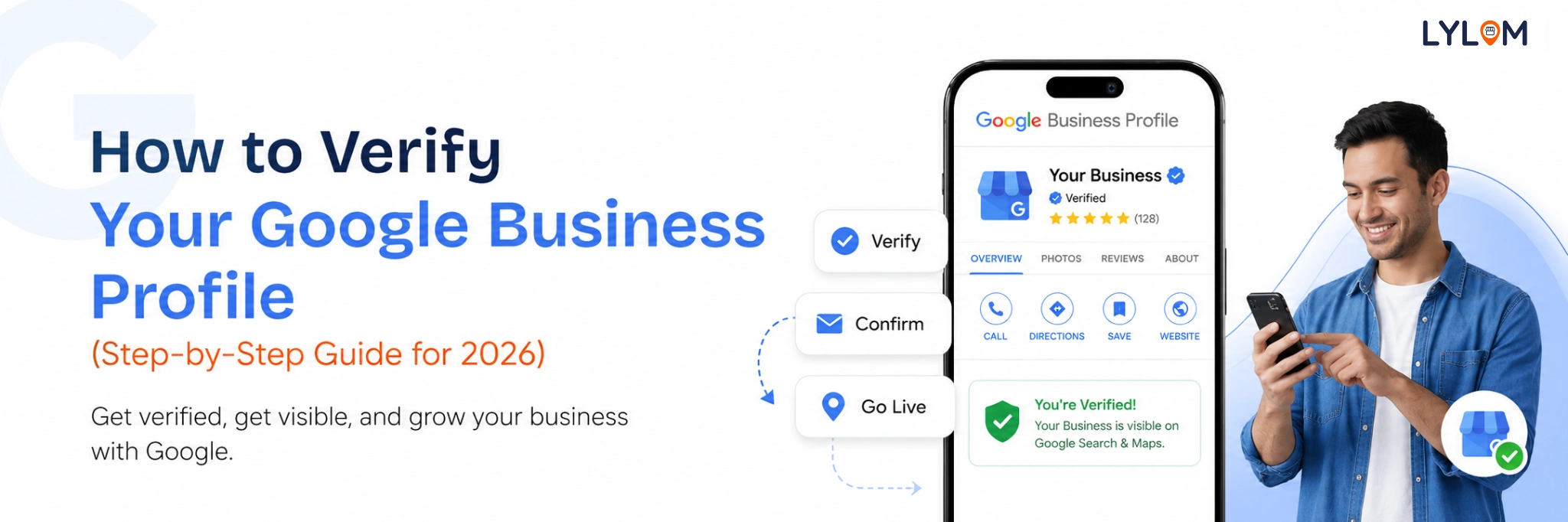
Step-by-Step: How to Verify Your Google Business Profile
Follow this simple process:
- Log in to your Google Business Profile
- Select your business
- Click on “Verify Now”
- Choose your preferred verification method
- Complete the process (video, code, or postcard)
- Wait for confirmation from Google
Once verified, your listing becomes fully active.
Important Tips & Requirements for Successful Verification
To avoid delays or rejection, keep these critical points in mind:
Do Not Edit Your Details
Avoid changing your business name, address, or category while verification is in progress. Even small edits can restart or invalidate the process.Follow Video Verification Requirements Carefully
Your video should be:- One continuous, unedited recording
- Clearly showing exterior (street view, signage)
- Showing interior workspace
- Including proof of management (like branded equipment, documents, or access to the premises)
For Service Area Businesses (SABs)
If you don’t have a physical storefront:- Show branded tools, equipment, or vehicles
- Include documents like invoices or service records
- Demonstrate that you actively operate in your service area
Common Verification Issues (and How to Fix Them)
Sometimes verification doesn’t work on the first attempt. Here are a few common issues:
Video verification fails
You can contact Google Support and request alternative verification options.Verification code expires
Codes are valid for a limited time (usually 30 days). If expired, you’ll need to request a new one.Unclear or incomplete proof
Make sure your documents and videos clearly match your business details.Frequent edits during verification
This can delay or reset your verification process.
What to Do After Verification
Once your Google Business Profile is verified, start optimizing it:
- Add high-quality photos
- Update your services and business hours
- Respond to customer reviews regularly
- Post updates, offers, and announcements
An active profile improves both visibility and trust.
Final Thought
Verifying your Google Business Profile is the foundation of your online presence. It helps customers find you, trust you, and choose your business over competitors.
If you follow the correct steps, meet the requirements, and avoid common mistakes, the process is smooth and straightforward.
Bonus Tip: Managing your Google Business Profile consistently can be time-consuming. Tools like LYLOM can help you manage reviews, track leads, and keep your profile optimized all from one place.
If you follow the correct steps, meet the requirements, and avoid common mistakes, the process is smooth and straightforward.
Bonus Tip: Managing your Google Business Profile consistently can be time-consuming. Tools like LYLOM can help you manage reviews, track leads, and keep your profile optimized all from one place.