

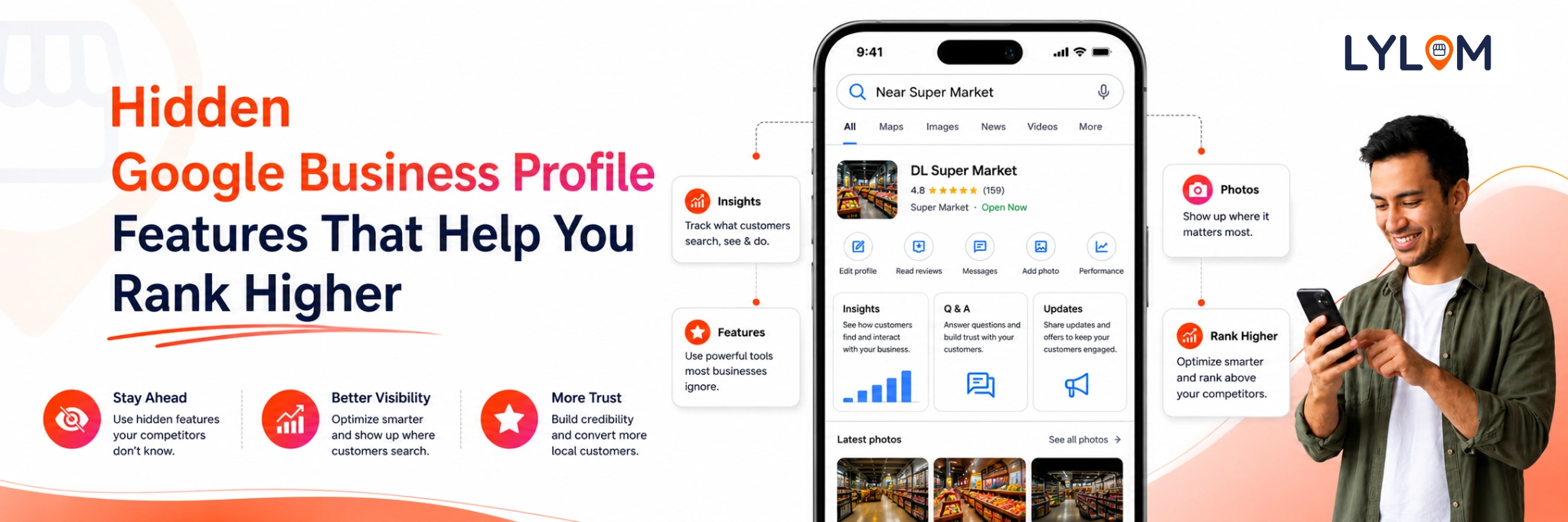
As a business owner you probably have a Google Business Profile. That’s the box on Google Maps that shows your phone number, hours and those earned five-star reviews.. Behind the scenes Google has some powerful tools. If you are using your profile as a business card you are missing out on free customer leads.
Here are some hidden features, tips and tricks you should be using now
1. No Storefront? No Problem!
Are you a plumber, a mobile pet groomer or a freelancer working from your couch? You don’t want strangers knocking on your home door.
Here’s the good news: You don’t need a shop to have a strong Google profile. You can hide your home address. Set up a Service Area instead. Just choose cities or zip codes. Google will still show your business to searchers.
2. The Big Trap: "Google Will Let You Review Changes" Don't Count On It!
Google says that if a user or an AI bot proposes a change to your hours or phone number they’ll give you a chance to review and approve it first.
Don’t bet on it. Google frequently updates business info, operating hours and services automatically without warning you.
If a competitor flags your business as "Permanently Closed" or shifts your hours it can go live instantly.
You have to check your profile because relying on Google's notifications is a gamble you will eventually lose.
3. Sneaky "Custom Attributes" That Boost Ranking
Everyone sets up their category.. If you dig into your profile settings you will find Custom Attributes. These are tags Google lets you add to stand out.
You can toggle tags like:
- Online appointments available
- Wheelchair accessible seating
- Eco- business
When people filter their Google searches for these exact features profiles with these boxes checked get fast-tracked straight to the top of the page.
4. Instant Bookings & Social Media Connections
Why make people jump through hoops to see your work or book a call?
You can link your Instagram, Facebook, youtube profiles to your Google profile. Your latest social posts will show up on your listing giving people instant proof of your work.
You can add a "Book Online" button by linking your favorite booking software. Customers can schedule an appointment with you in two clicks without leaving the Google search page.
Pro. Hidden Hacks for Maximum Visibility
- The 30-Day "Freshness" Rule: Google loves profiles. If you go more than 30 days without uploading a new photo or posting an update Google begins to favor your active competitors.
- Ditch the Stock Photos: Google’s image-recognition AI can spot stock photos instantly and may suppress them.
- The "Secondary Category" Hack: You are allowed one category but you can add up to 9 secondary categories.
- Review Sentiment Targeting: When customers leave reviews, tell them to mention the service and city name.
Quick Facts: What Google Business Profile Can't Do
To keep your expectations realistic remember that Google Business Profile has its limits:
- It can't replace a website
- It can't protect itself
- It can't run your media
Feeling Overwhelmed? Let Lylom Take the Burden Away
Checking your profile daily for changes, replying to reviews, posting updates and wrestling with Google’s settings takes a lot of time.
Lylom is designed to give business owners their time. We handle all the Google updates, protect your profile from wrong information and make sure these hidden features are working hard to bring you clients.
Want to unlock customers from Google without the stress? Let Lylom relieve the burden today so you can focus on doing what you do best.
Lylom is designed to give business owners their time. We handle all the Google updates, protect your profile from wrong information and make sure these hidden features are working hard to bring you clients.
Want to unlock customers from Google without the stress? Let Lylom relieve the burden today so you can focus on doing what you do best.