

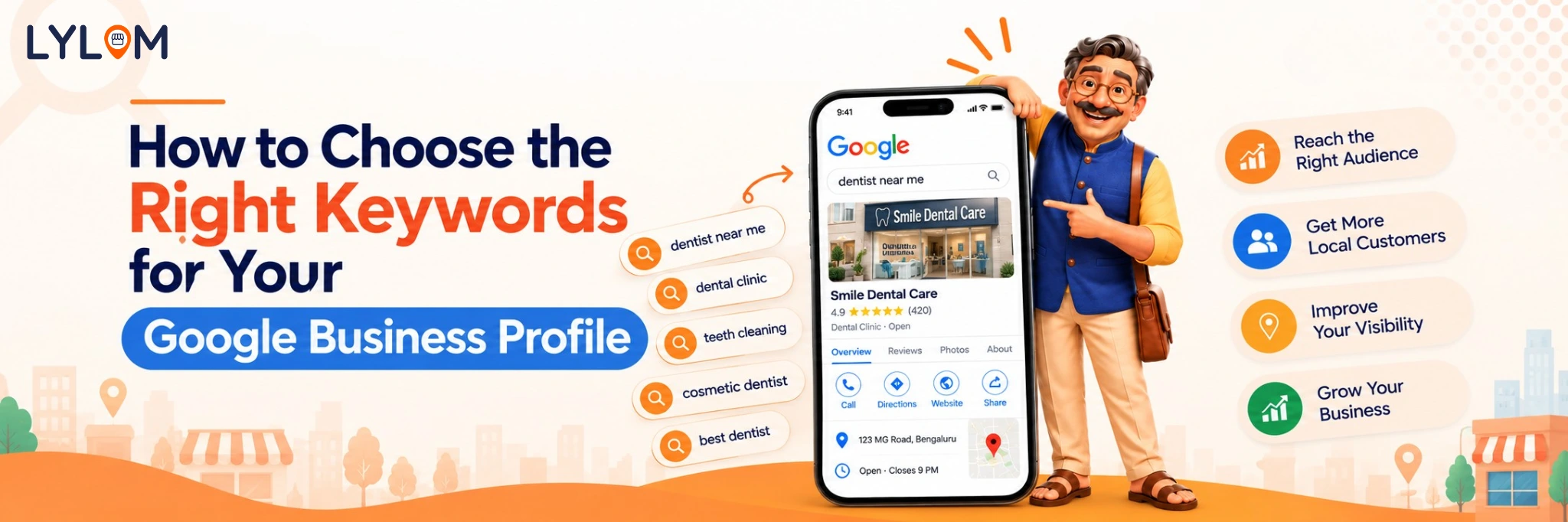
When customers search on Google, they usually describe what they need rather than search for a specific business name. Someone looking for a dentist might search for “dentist near me,” while someone planning a celebration might look for “birthday cake shop in Jaipur.”
The words people use in these searches are called keywords.
Understanding relevant keywords can help you make your business information more useful to potential customers. However, adding keywords everywhere is not the solution. The goal is to understand what your customers search for and communicate your services clearly.
What Are Google Business Profile Keywords?
Google Business Profile keywords are the search terms people use to find businesses like yours.
For example, a salon in Bengaluru might be relevant to searches such as:
- Hair salon in Bengaluru
- Women's haircut near me
- Hair colouring services in Bengaluru
- Beauty salon near my location
These phrases reflect different customer needs. Some people are looking for a business category, while others want a particular service.
Google does not provide a simple field where you can enter a list of ranking keywords for your profile. Instead, you should optimize your actual business information and website naturally.
Why Are Keywords Important for Local Businesses?
Relevant keywords help you understand how customers describe your products and services. They can also guide your website content, service descriptions, and business updates.
For instance, a clinic that offers physiotherapy, sports rehabilitation, and pain management should clearly describe those services rather than simply identifying itself as a clinic.
Remember that keywords alone do not guarantee better rankings. Google's local results are influenced by relevance, distance, and prominence, among other considerations.
5 Steps to Find the Right Keywords for Your Business
Follow these practical steps to identify the search terms that matter most for your local profile:
1. Start With Your Main Business Category
Identify what your business primarily offers. Examples include:- Grocery store
- Dental clinic
- Digital marketing agency
- Car repair shop
- Preschool
- Restaurant
2. List Your Main Products and Services
Think about what customers actually come to you for. A dental clinic might offer teeth cleaning, dental implants, braces, and root canal treatment. A restaurant might specialize in North Indian food, takeaway meals, or family dining. These service-specific terms can help shape your profile descriptions and website pages.3. Add Relevant Location Terms
Consider the areas your business genuinely serves. For example:- Dentist in Indiranagar
- Car repair in HSR Layout
- Bakery in Koramangala
- Home cleaning services in Bengaluru
4. Understand Customer Search Intent
Not every search means the same thing. Someone searching for “what is teeth whitening” may be looking for information. Someone searching for “teeth whitening clinic near me” may be considering a service. Create useful content that matches what customers want to know, compare, or purchase.5. Review Available Search Insights
Use available Google Business Profile performance data, website analytics, and customer enquiry patterns to understand how people discover your business. Look for recurring service-related questions and terms that lead to meaningful enquiries. Use these insights to refine your website content and service information.
Where Should You Use Keywords?
Business Description
Describe what your business does, whom it serves, and what makes its services useful. Keep the language natural and accurate.
Describe what your business does, whom it serves, and what makes its services useful. Keep the language natural and accurate.
Services and Products
Add the services and products you genuinely offer. Use clear names and descriptions that customers can understand.
Add the services and products you genuinely offer. Use clear names and descriptions that customers can understand.
Website Pages
Create relevant pages for your main services and service locations where appropriate. Each page should provide useful information instead of repeating the same keywords.
Create relevant pages for your main services and service locations where appropriate. Each page should provide useful information instead of repeating the same keywords.
Google Business Profile Posts
When publishing updates, describe the actual offer, event, product, or service. Use relevant language without forcing keywords into every sentence.
When publishing updates, describe the actual offer, event, product, or service. Use relevant language without forcing keywords into every sentence.
Keyword Mistakes That Can Hurt Your Business
Avoid adding unnecessary keywords to your business name, repeating the same phrase excessively, listing services you do not provide, or creating misleading location pages.
Your Google Business Profile name should reflect your real-world business name. Keyword stuffing can violate Google's guidelines and may put your profile at risk.
How LYLOM Can Help
Finding keywords is only one part of improving your online presence. Your business information, profile completeness, reviews, content, and performance also need attention.
LYLOM helps simplify Google Business Profile management with tools for profile audits, visibility tracking, AI-powered content creation, review management, and competitor analysis.
These features can help you organize routine tasks and identify areas that need improvement.
Conclusion
Choosing the right keywords starts with understanding your customers. Identify your core services, consider the locations you serve, write clear business descriptions, and review available performance insights.
Focus on relevance and accuracy rather than trying to include every possible search term.
Make your business information work smarter with LYLOM and simplify the way you manage your online presence.
Focus on relevance and accuracy rather than trying to include every possible search term.
Make your business information work smarter with LYLOM and simplify the way you manage your online presence.